|
|
Strategies for Successful Kiosk Implementation
The Kiosk Market TodayThe demand for kiosks is exploding. In 1996 approximately 21,000 kiosks were shipped in the United States; by 2003 that number is expected to increase more than twenty fold to 445,000. ("U.S. Interactive Kiosk Markets," Frost & Sullivan Report #5386-74, p. 3-7, 1997.) Why? Because declining hardware costs and more sophisticated technologies mean kiosks can deliver a positive return-on-investment, as shown in the graph below.
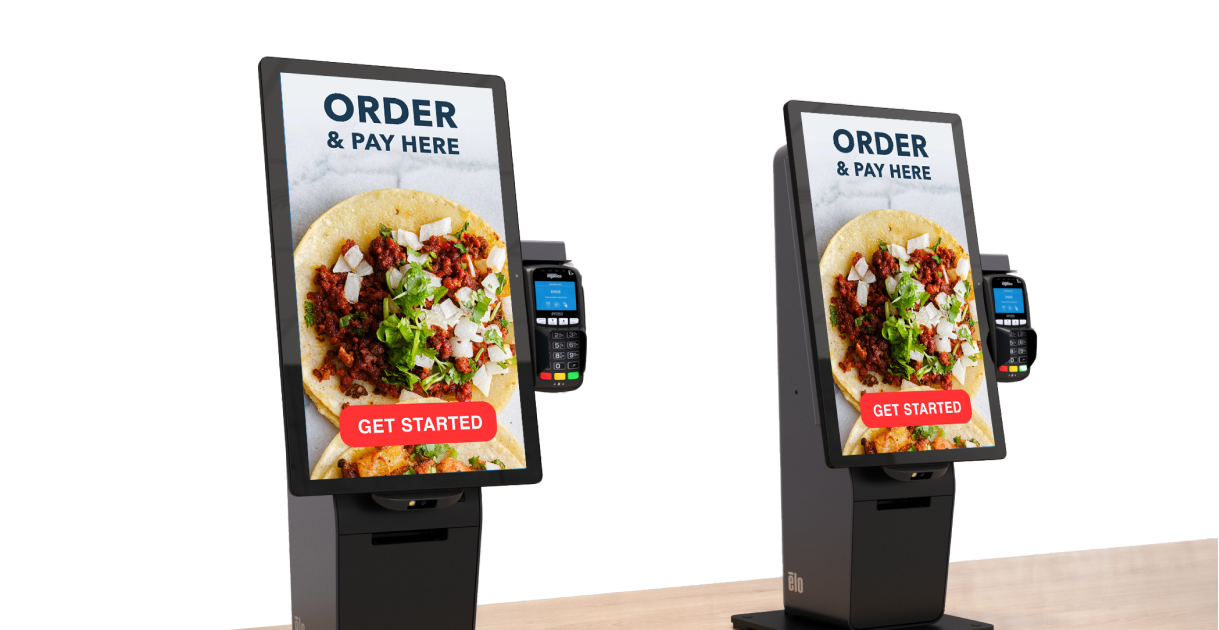
Total Interactive Kiosk Market: U.S. Unit Shipment and Revenue Forecasts, 1993-2003 This white paper will acquaint you with kiosk deployment issues. After reading it, you'll be well equipped to assess the value kiosks can provide to your organization. A Proven TechnologyA kiosk consists of a touchmonitor, a computer, and perhaps a printer and credit card readerall enclosed in a secure cabinet. Kiosks can deliver information or they can promote and sell products and services. Most kiosks are located in public places, such as stores, airports, malls, and hotel and corporate lobbies. They're also increasingly prevalent in factories and office buildings, where they afford employees access to benefits information and job postings. While kiosks have existed since the late 1970s, it's only in the past few years that the kiosk market has taken off. The dramatic increase in kiosk activity is the result of several factors: Reduced Hardware CostsDeclining costs of microprocessors, printers, and other computer-related kiosk components have resulted in dramatically reduced kiosk costs. For example, between 1993 and 1996, the average price for an interactive kiosk fell by almost 50 percent (Frost & Sullivan). Because of these reduced capital outlays, companies and organizations now can anticipate a higher ROI (return on investment) from kiosk implementations. Public AcceptanceThe popularity of ATMs paved the way for widespread acceptance of kiosks. The public is more comfortable now using kiosks in a variety of settings. The use of touchscreens has enhanced the popularity of kiosks by making them operable even by people lacking computer experience. Pervasive Networking CapabilitiesIn the past, the only way to update or modify a kiosk application was to reinstall software at each kiosk. Now advances in network computing make it possible to update kiosks from a centrally located computer, so it's easy to enter price changes, up-to-the-minute product availability, or new interest rates. In addition, a growing number of organizations are saving on hardware costs by installing kiosks that are "thin clients" (computers with limited processing power and storage capabilities networked to a central client/server application to control most of the kiosk operations). Advances in MultimediaThe enhanced multimedia capabilities of personal computers have led to the development of more advanced tools for creating multimedia applications. Kiosk developers who leverage these tools reduce development costs while increasing kiosks' capabilities. Other new technologies, such as signature cards and smart cards, also have resulted in expanded kiosk solutions. Internet GrowthIncreased use of the World Wide Web has fueled the growth in kiosk installations, with many organizations installing Internet commerce kiosks that provide users with Internet access and online purchasing capabilities (see Internet commerce kiosks and Web-enabled kiosks). How Kiosks Enhance ProfitabilityWhen considering a kiosk implementation, ask yourself these fundamental questions:
In this section we address these questions by outlining the benefits of kiosks and the myriad ways they are currently used. Increased Product OfferingsBy providing Internet commerce access to online shopping services, kiosks let retailers expand inventory without increasing floor space. The results are increased profits per square foot and enhanced customer satisfaction.
Expanded StorefrontsKiosks make it possible for vendors to expand their reachand enhance their profitabilityby selling goods and services in locations other than their storefront. Such kiosks frequently are accessible 24 hours a day, seven days a week.
Improved Customer Service; Reduced Personnel CostsOrganizations can provide superior customer service by offering patrons access to kiosks that answer routine questions or handle routine transactions. These organizations save on personnel costs by reducing their need for sales clerks and customer service representatives. Meanwhile, those employees charged with sales and customer service functions are free to focus their attention on patrons' non-routine concerns.
Enhanced Product PromotionKiosks attract consumer interest and ultimately increase sales by providing product information customized to each user's interests and needs.
Easier Information AccessKiosks can dispense information 24 hours a day, seven days a week, minimizing the need for customer service personnel while increasing overall efficiency.
Greater Product CustomizationKiosks that offer customized products and services increase their profitability by filling a unique market niche.
Reduced Training CostsA company can use kiosks to train employees or teach them about the company's products and corporate procedures. Kiosks' touch applications are easier to use than traditional computer-based training and teaching.
Types of KiosksLike videos and books, kiosks are communications tools. But kiosks' interactivity and multimedia capabilities provide functionality that goes well beyond the static capabilities of other media. Based on their functions, kiosks generally fit into one or more of the following categories:
Point-of-Information KiosksThese kiosks are used to educate or inform. Because they address routine questions, they minimize the need for on-site personnel and reduce phone calls to companies. When located in a public place, they can be accessed seven days a week, 24 hours a day. Point-of-information kiosks tend to be the simplest kiosks to implement. They're also the most difficult to justify in terms of ROI. For this reason, informational kiosks frequently are integrated with the product promotion or service kiosks described in the next section. Prime locations:
Product Promotion KiosksKiosks that promote products and services are a win/win proposition. Consumers receive information as well as coupons and other discounts. Manufacturers have their message delivered straight to the consumer rather than relying on the detailed product training of individual sales people. Promotional kiosks also can reduce the need for sales personnel; they sometimes are referred to as "independent in-store POS sales support." Electronic couponing systems are the most common promotional kiosks. Manufacturers place the systems in retail outlets to increase awareness of their products. The kiosks attract consumers by offering coupons; to obtain the coupons, consumers often must respond to demographic and other questions, providing companies with valuable consumer information. Kiosks often combine information and promotion. A kiosk in a hotel lobby, for example, might include descriptions of hotel services along with coupons and ads for neighborhood shops, restaurants, and theaters. Prime locations:
Service KiosksThese kiosks can provide services that are free or for-pay. In government organizations, the use of service kiosks has been driven by the public's demand for increased hours of business and shorter wait times. Service kiosks are also gaining popularity among corporations where today's employees must choose from a dizzying array of benefits. Employees can use kiosks to enter information about their needs; the kiosk then determines the benefit package that best addresses those needs. Prime locations:
Product-Dispensing KiosksA product-dispensing kiosk is a store-in-a-box, a single installation that handles all the processes required to make a sale, from creating the product, to delivering the product, to receiving payment. For this reason, vending kiosks can be the most complex kiosks to implement. They also can be the most profitable. Also known as point-of-purchase kiosks, product-dispensing kiosks minimize or eliminate the need for sales personnel. They also can expand a store's area of operation by enabling consumers to purchase items in an increased number of locations. (For example, theater-ticketdispensing machines might be located in airports.) Prime locations:
Internet Commerce KiosksKiosks that connect directly to a business Web site let consumers purchase products to be delivered to them at a later time. A store equipped with e-commerce kiosks can increase its product offerings without increasing its inventory. Clerks, meanwhile, are freed from having to order products from the catalog or from another store. Increasingly, general-purpose Internet-access kiosks are being placed in public areas. Users who already have Internet access from home or work will use these kiosks on a convenience basis (in much the same way they use a public telephone and ATM machines today). Prime locations:
Web-Enabled KiosksWeb-enabling software transforms an existing Web site into a public-access kiosk application. Organizations that choose to make their Web sites kiosk-accessible enjoy significant savings in development costs because they need make only minor modificationssuch as replacing browser controls with touch-activated control panels and buttonsto their existing application. Web-enabled kiosks can connect directly to the Internet; they also can be accessed from a local disk. In local mode, customer data, forms, and e-mail are "faked" to disk files for later retrieval. Common applications include:
Kiosk ComponentsNo two kiosk installations are alike. A kiosk that dispenses recipes uses different components than a kiosk that takes orders for rose bushes; both of these use different components than a kiosk that takes applications for a car loan. But regardless of their purpose, all kiosks incorporate the following core components, and additional components that depend on the kiosk's function. TouchmonitorA touchmonitor consists of a touch-sensitive transparent screen placed over a CRT monitor or flat panel display monitor. Pictures or text on the screen instruct users to select or "touch" an option. Touchmonitors are used in approximately 75 percent of all kiosk installations because of their ease of use, durability, and reliability (see Appendix A: Overview of Touch Technologies). EnclosureWhether it's a compact wall unit or a large in-store installation, every kiosk must have an enclosureand it must be made of sturdy, durable materials designed to withstand abuse. Typically, kiosk enclosures are made of metal, but wood, plastic, or fiberglass may also be used. The kiosk location (indoor vs. outdoor, for example) and type of installation (stand-alone, wall-mounted, or tabletop) help to determine the type of enclosure that is needed. Application SoftwareThe kiosk's software application must attract users to the kiosk, accomplish the kiosk's stated objectives, be easy and fun to use, and incorporate built-in reporting mechanisms that provide feedback about which parts of the application are used, how long users stay at the kiosk, and other data. Many kiosk developers are using their Web site as the basis for their kiosk application (see Web-enabled kiosks). ComputerThe kiosk application's requirements determine the computer hardware requirements. At a minimum, a kiosk computer should support full-motion video, digital audio, and network connectivity. PrinterThe kind of printer a kiosk needs depends on the kiosk's function. Kiosks most often use printers to print receipts, tickets, maps, and product information. Additional ComponentsThe kiosk's function also determines the use of one or more additional components, such as those that follow.
Suggestions for Kiosk DeploymentDeveloping a kiosk is a multifaceted process. The following are suggestions to consider when planning your kiosk implementation. Think ROIWhen designing a kiosk installation, your return on investment should be a primary consideration. Yes, you have a great idea. Yes, your customers will love it. But how long will the installation take to pay for itself? How long can you afford to wait before getting back your initial investment? Will you achieve your ROI through savings or increased revenues? Companies and organizations wanting to install kiosks often enter into partnerships to help defray costs. For example, Coinstar kiosks distribute coupons that are paid for by the manufacturer. An airport installing a kiosk-based directory might team up with local hotels wanting to advertise rooms. Be creative, and think in terms of alliances! Set Realistic SchedulesEven though kiosks are a proven technology, they're not a plug-and-play commodity. Rather, implementing a kiosk can involve various stages, including alpha and beta testing, before release of the final product. Make Software Top PriorityTo be successful, a kiosk application must be intuitive, fast, and fun to use. Touchscreen Application Tips lists the prerequisites for successful touch-based kiosks. Remember the HardwareKiosks consist of a software application and the numerous componentscomputer, printer, card reader, and video camerathat make it work. For best results, develop these components in parallel. Organizations that wait to think about hardware integration until the software is complete often find that they've run out of funding. Use a Practical Cabinet DesignKeep these points in mind when designing the kiosk cabinet.
Think LocationKiosks should be placed in high-traffic areas that are safe, well lighted, and welcoming. If space is at a premium, consider mounting the kiosk in the wall or on a shelf. If the kiosk will be unattended, plan to design more security features into the kiosk. Implement IncrementallyBy initially installing a few kiosks in carefully selected locations you'll quickly gather information that's critical to your kiosk's success. Track Your UsersEvery kiosk application should incorporate a mechanism for tracking kiosk use. Such information is critical for assessing which portions of the application are most widely used, which products are most frequently purchased, and other aspects of kiosk use. Consider Your EmployeesWhen designing a kiosk, consider how it will fit in with your work force. One retailer implemented a kiosk, only to discover that the sales force was steering customers away from it. The reason? Each time a customer used the kiosk, it took away from employees' commissions! Don't Forget MaintenanceAll kiosks require ongoing maintenance. Specifically, you'll need to update the kiosk's software and keep kiosks that dispense products stocked with supplies, such as tickets or blank gift certificates. You'll also need to arrange for emergency repair and parts replacement. Such services usually are provided by kiosk vendors who contract with third-party maintenance providers. Elo Assistance: How Can Elo Assist Me with Kiosk Implementation?As the leading developer of touch technology, touchmonitors, and related products integral to tens of thousands of kiosks worldwide, Elo TouchSystems provides outstanding products for your kiosk implementation. Elo flagship products include IntelliTouch kiosk touchmonitors specifically designed for kiosks; Web Enabler software; and Signature Series products. IntelliTouch High-Performance TouchscreensBuilt using surface wave technology, IntelliTouch pure-glass touchmonitors are known for their clarity, resolution, and light transmission. Their scratch-resistant, vandal-proof glass surface is ideal for public-access environments, and their stable, "drift-free" operation ensures a touch response that's always accurate. Flat, spherical, and cylindrical touchmonitors are available for optimal design flexibility. Kiosk TouchmonitorsKiosk touchmonitor products are the industry's first sealed touchmonitors designed specifically for kiosks. With their custom-designed metal chassis, their model life is longer than that of a typical plastic-cased monitor, reducing the need to redesign kiosks around monitor changes. The 15-inch and 17-inch FST, SVGA monitors, incorporate touch systems based on IntelliTouch surface wave technology. Web Enabler SoftwareDesigned to enable developers to transform Web sites into touch-driven, public-access kiosk applications, Web Enabler works as an overlay to the two most popular Web browsers, Netscape Navigator and Microsoft Internet Explorer, providing the richest set of features of any touch overlay application on the market today. Signature Series ProductsThis group of products enables signature capture, a necessary feature in applications that have users complete a purchase transaction, authorize a credit application or simply sign their name on a greeting card. Because the Elo Signature Series comprises four signature capture productseach based on a different technologythe series offers a solution for virtually every kiosk application, including a Signature Series touchmonitor specifically designed for kiosks. To learn more about Elo products, contact the Elo office nearest you. Appendix A: Overview of Touch TechnologiesTouchscreens' ease of use make them the input device of choice for approximately 75 percent of all kiosk installations. This section summarizes the most commonly used touchscreen technologies. Surface wave touchscreens consist of two main components: a clear, solid piece of glass formed to match the shape of the monitor, and a controller. The controller uses surface waves on the glass to develop a map of the touchscreen surface. When the screen is touched, your finger absorbs a portion of the signal traveling across it. The resulting change in the wave is detected by the controller, which calculates X and Y coordinates. Surface wave touchscreens are the preferred kiosk technology because they are durable enough to last the lifetime of the kiosk. Because there is no coating to degrade, they are very clear and provide stable "drift-free" operation. Five-wire resistive touchscreens use a glass panel with a uniform resistive coating. A polyester coversheet is tightly suspended over the top of the glass, separated from it by small, transparent insulating dots. The coversheet has a hard, durable coating on the outer side and a conductive coating on the inner side. When you touch the screen, the conductive coating makes electrical contact with the coating on the glass. The voltages produced are the analog representation of the position you touched. The controller digitizes these voltages and transmits them to the computer for processing. The result of this process is an accurate, durable, and reliable touchscreen. Eight-wire resistive touchscreens have 8 sensing points, which are used to stabilize the eight-wire technology. For one coordinate axis (usually the Y-axis), the eight-wire touchscreen uses the outer flexible coversheet as its uniform voltage gradient, while the bottom substrate acts as the voltage probe. The constant flexing that occurs on the outer coversheet will change its resistance with usage, degrading the linearity and accuracy of this axis. Although the extra sensing points assist in stabilizing the system, they do not improve the durability of the screen. Capacitive touchscreens use a glass overlay with a thin metallic conductive coating over the surface of the screen. When touching the screen, the user becomes part of the electrical circuit, creating a capacitive coupling with the voltage field and drawing a small amount of current to the point of contact. Capacitive touchscreens cannot be used by anyone wearing gloves, and scratching the touchscreen surface will render these touchscreens inoperable. In addition, they require ongoing maintenance to ensure accurate calibration. Infrared touchscreens rely on the interruption of an infrared (IR) light grid in front of the display screen. The touch frame contains a row of IR-light-emitting diodes (LEDs) and photo transistors, each mounted on two opposite sides to create a grid of invisible infrared light. The IR controller sequentially pulses the LEDs to create a grid of IR light beams. When a stylus, such as a finger, enters the grid, it obstructs the beams. One or more photo transistors detect the absence of light and transmit a signal that identifies the X and Y coordinates. IR touchscreens can be operated in direct sunlight and offer a built-in filter to protect the surface of the display and to further seal the unit. Appendix B: Assessing Your Personnel NeedsWhile some companies have the expertise to design and build their kiosks in-house, a more common approach is to hire outside companies to assist in this process. In some instances you'll be able to hire one company to handle the project from initial design to maintenance; in other cases you'll need to work with several companies, each of whom handles different tasks. When you interview potential companies, ask the following questions:
Appendix C: Tips for Touchscreen ApplicationsDesigning a kiosk touch application requires a different mindset than is required for developing a traditional user interface. See Touchscreen Application Tips for advice which will help you maximize your touch-based kiosk application. Getting in Touch with EloTo find out more about the extensive range of Elo touch solutions, simply contact the office nearest you. |