Elo Backpack™ Linux PC
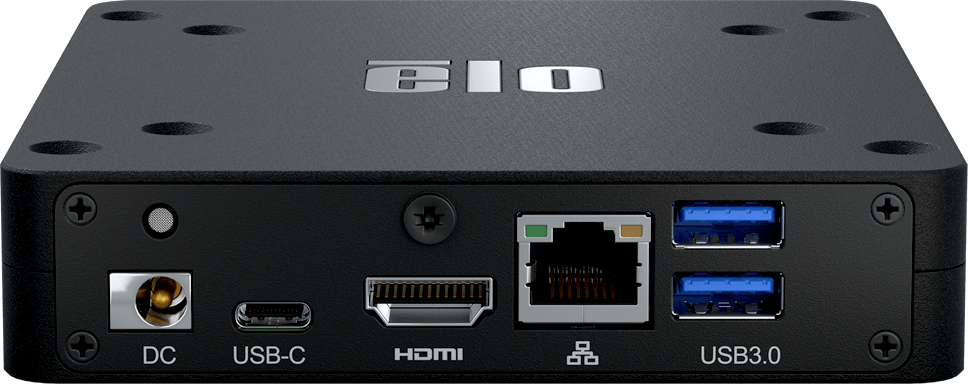
Enterprise Linux in a box.

Scale your
deployments.
The Elo Backpack is a powerful, commercial-grade Linux PC designed to simplify scaling Elo’s enterprise Linux platform across sizes and form factors. Simply pair the Elo Backpack Linux device with any Elo touchscreen from 7-65 inches to create a consistent deployment that is cost effective and optimized for commercial use.

Experience the
Elo approach
to Linux.
With decades of development and customizations made to support global enterprise customers, Elo’s Linux-based platform offers Linux device drivers, uniform SDKs, a constantly growing set of tools and an expansive lineup across sizes and form factors.

Built for any use.
From digital signage and self-service kiosks to point of sale, kitchen display systems (KDS) and automation controls, the Elo Backpack Linux PC offers the connectivity, performance and durability to power almost any application.


Small footprint.
Purpose-built to accommodate compact spaces, the Elo Backpack Linux device offers a small footprint in both size and weight.


Universal
VESA mount.
Easily secure the Elo Backpack Linux PC to any counter or in a kiosk with the built-in 75mm or 100mm VESA mount.
Commercial-grade
performance.
Equipped with Rockchip 6-core processor and your choice of Debian 10 distributions or newer, the Elo Backpack Linux PC delivers the performance your business needs.
Connect it all.
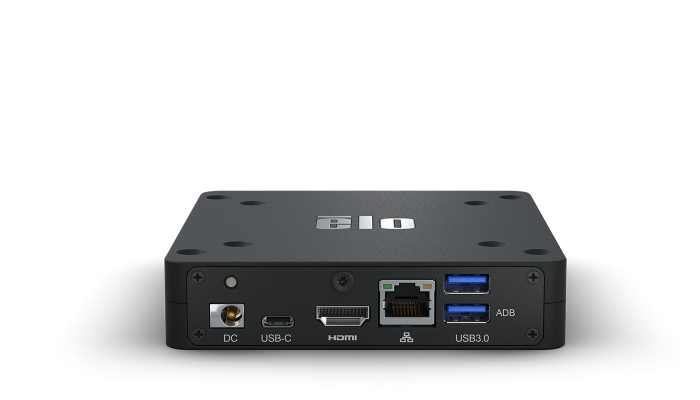
The Elo Backpack Linux device offers 4x USB 3.0, Ethernet, Bluetooth, Wi-Fi, HDMI, USB-C output, micro-SD, GPIO and Wi-Fi antennas.


Your Backpack.
Your solution.
From 7-65 inch, the Backpack adds a powerful Linux OS to Elo touchscreen monitors, open frames and large format interactive displays.


Get peace of mind
with EloCare℠.
From advance unit replacement to accidental damage protection, EloCare delivers service and support from the people who know your Elo products best.
- Advance Unit Replacement
- Extended Warranty
- Professional Services


Specifications
-
Technical
Resources
(6)
-
Additional Support Resources
-
Collateral
-
Drawings and Certificates
-
User Guides